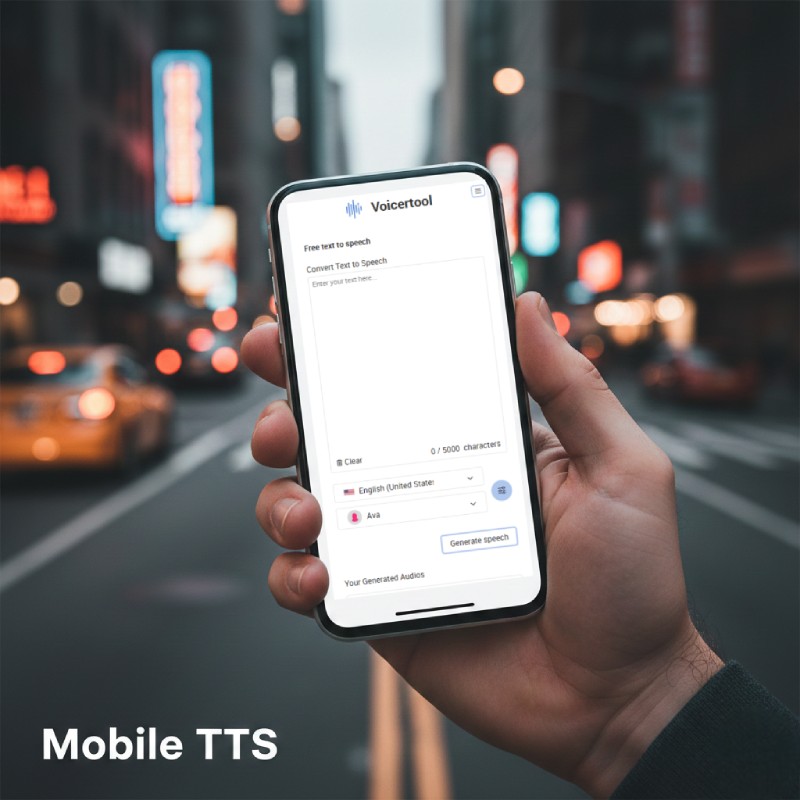
Imagine: you're on the go, a podcast idea pops into your head, but no time or way to record it. Sound familiar? Voicertool solves this instantly — visit the site from your phone, type your text, and get ready-made audio. No app downloads, no registration, just in your browser. The key is mastering speed settings for natural-sounding voiceovers on the move.
Why Mobile TTS is So Convenient
Modern sites like Voicertool are fully mobile-optimized: the interface doesn't take over your screen, text pastes easily from notes. In 30 seconds — MP3 in your pocket. Perfect for when you're rushing to a meeting or standing in line: dictate a voice note in Google Keep, copy it — and you're off.
Playback speed (from 0.5x for calm pacing to 2x for quick listening) lets you adjust to any situation — slow for complex ideas, fast for drafts.
Step-by-Step Guide for Android & iOS
I personally use this method to listen to my long scripts while commuting — it's much faster than reading from a small screen.
- Open the site: Go to voicertool.com in Chrome or Safari — the page auto-adjusts to your screen.
- Paste text: Tap the field (up to 5000 characters), paste from clipboard. Copy from Telegram or Notes — works smoothly.
- Choose voice: Scroll through the library (300+ options), browse different languages — preview instantly.
- Adjust speed: Use the slider to set 0.8x for natural flow (like coffee chat) or 1.5x when you're in a rush. Tweak pitch for male/female tones — sounds crisp on mobile.
- Generate & download: Hit "Generate speech" — MP3 ready in seconds. Save to "Downloads".
Pro Tips for On-the-Go Work
- Fast tempo for edits: 2x speed — review drafts in a minute, edit text, repeat. Saves hours!
- Background mode: Start playback in browser, minimize — listen while walking. Save MP3 for your player later.
- Languages for travel: 70+ options — voice over guides or notes in any language right from your phone.
Voicertool turns TTS into your pocket assistant — no apps, no fees, pure convenience on the go.
How much does it cost? Nothing! No daily conversion limits, 300+ advanced AI voices, and perfect for your YouTube voiceovers.
FAQ: Mobile TTS Usage
Does it work on iPhone? Yes, Voicertool is fully compatible with Safari on iOS. Simply generate your audio and save it to the Files app.
Is there a limit on mobile downloads? No, you get the same 5000 character limit per generation as on the desktop version, with no restrictions on the number of daily downloads.